Tree Search
Tree Search turns the links and bullets you already write into a searchable tree.
You don’t need any special syntax, and Dataview is not required. Keep writing notes the way you do today: headings, nested bullets, [[links]] and #tags. Tree Search reads them and shows you how everything fits together.
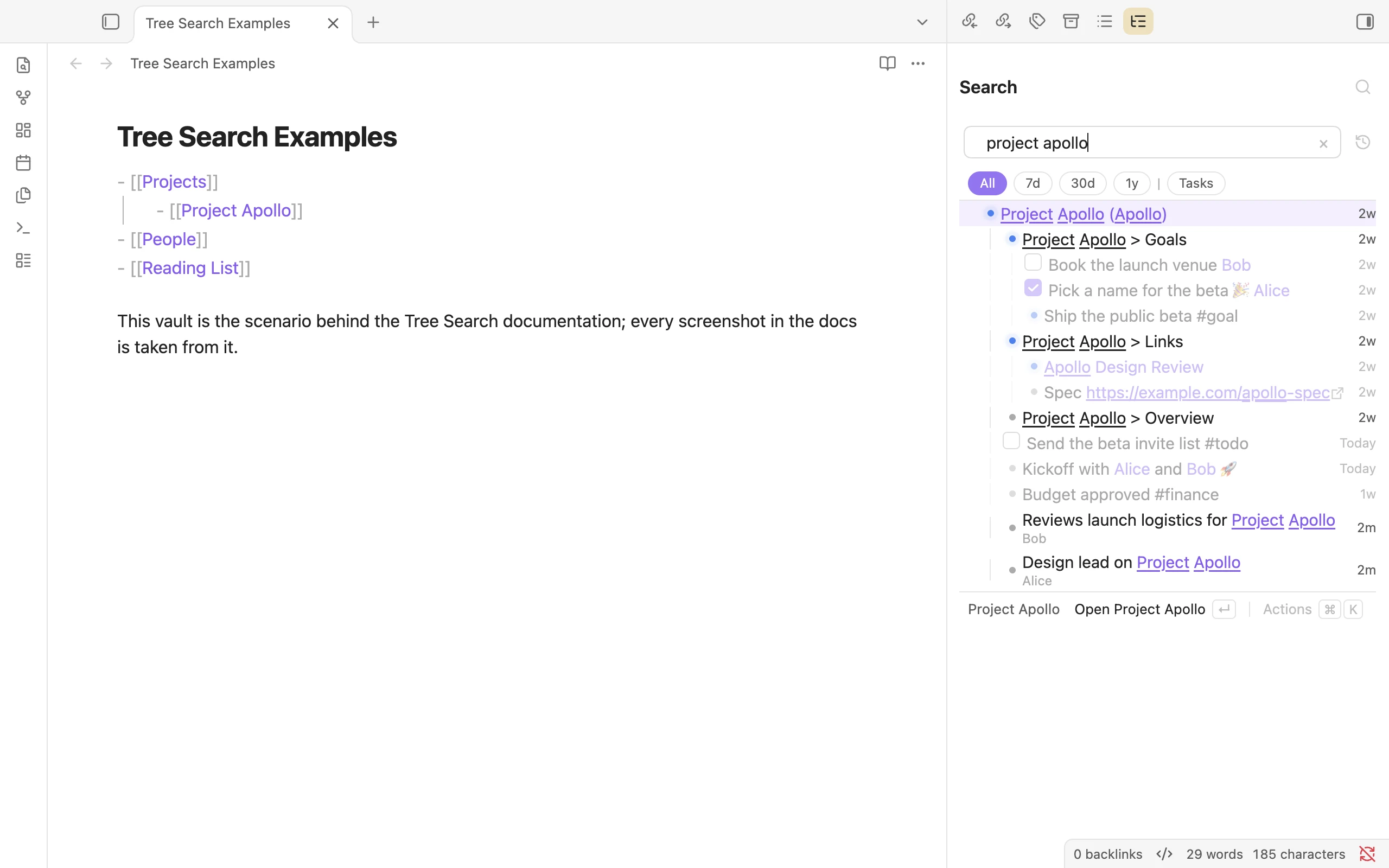 The Tree Search Examples vault, with the Search pane showing everything about Project Apollo.
Search from anywhere with the Search modal. Results come back as a tree, so you see each match together with the notes and lines it lives under.
 The Search modal for
apollo: the project note, the lines inside it, and every line that links to it.
Install
Open Settings → Community plugins → Browse, search for Tree Search, then install and enable it.
To try beta versions, install it through BRAT with this repository:
https://github.com/catacgc/obsidian-tree-search
Try it
Every screenshot in these docs comes from a small example vault. Its entry note is Tree Search Examples, and it links to a few projects, people and a reading list.
You can browse the example vault sources on GitHub and copy them into a vault of your own to follow along.
Where next
- Building the tree: how your notes become a tree, what gets indexed, and archiving.
- Searching: the Search modal and pane, hierarchical search, recency, the timeline and actions.
- Query language: every operator, filter and shortcut.
- Editor: Quick Add, adding from Search, inline editing and Quick Link.
- Panes & integrations: File context, Consolidate notes, the
tree-contextcode block, settings, Raycast and the CLI. - Shortcuts: every keyboard shortcut.