Building the tree
Tree Search builds its tree from the structure you already write. There is nothing to configure first: open a vault and the tree is there.
Headings, bullets and links
Inside a note, three things create parent/child relationships:
- Headings. Lines under a heading become its children.
- Nested bullets. An indented bullet is a child of the bullet above it.
- Links in bullets. A bullet that contains a
[[link]]is also a child of the linked note. Embeds (![[image.png]],![[Note]]) only show content: they don’t make the bullet a child of the embedded file.
Here is the Project Apollo note from the example vault:
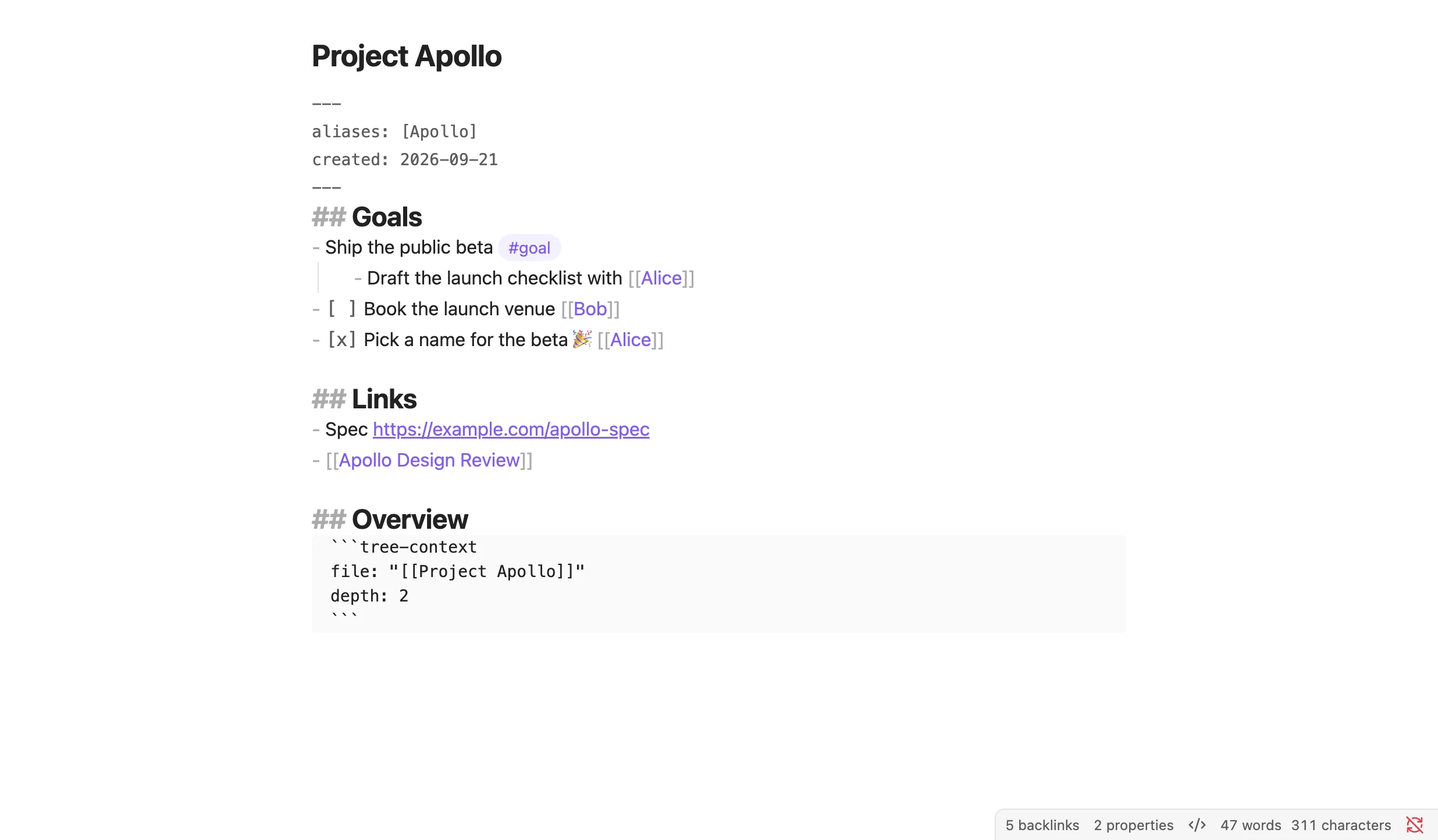
Work/Project Apollo.md: headings, nested bullets, tasks and links.
And here is the tree Tree Search builds for it:
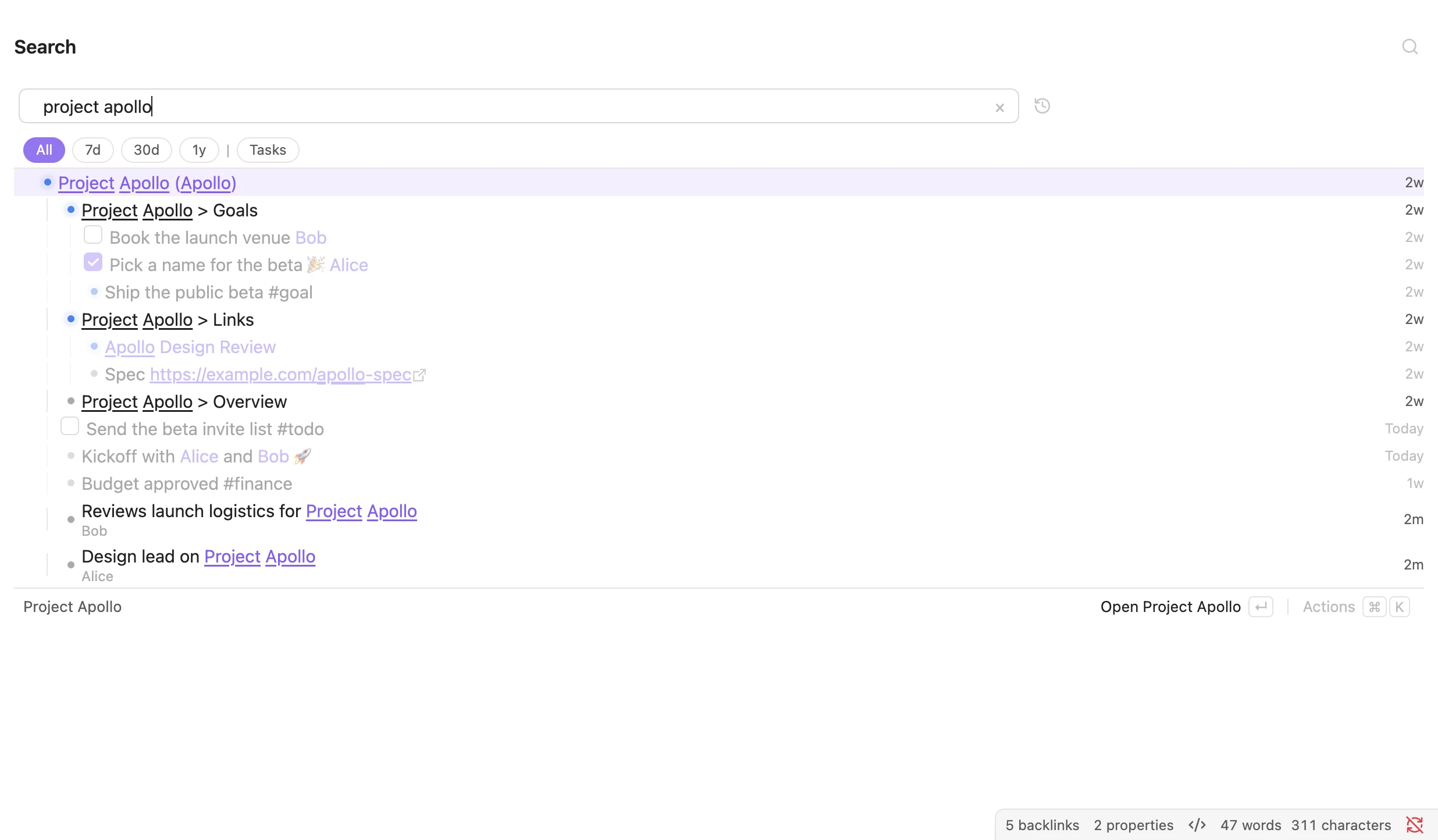 Searching for
project apollo: the note’s own outline, plus lines from other notes that link to it.
The last point matters most. When you write a line in a daily note that links to [[Project Apollo]], that line shows up under Project Apollo. You can keep writing in your daily notes and still find everything by topic later.
Parents in frontmatter
You can also give a note a parent in its frontmatter:
---
parent: "[[Projects]]"
---
The key is parent by default. You can change it in Settings.
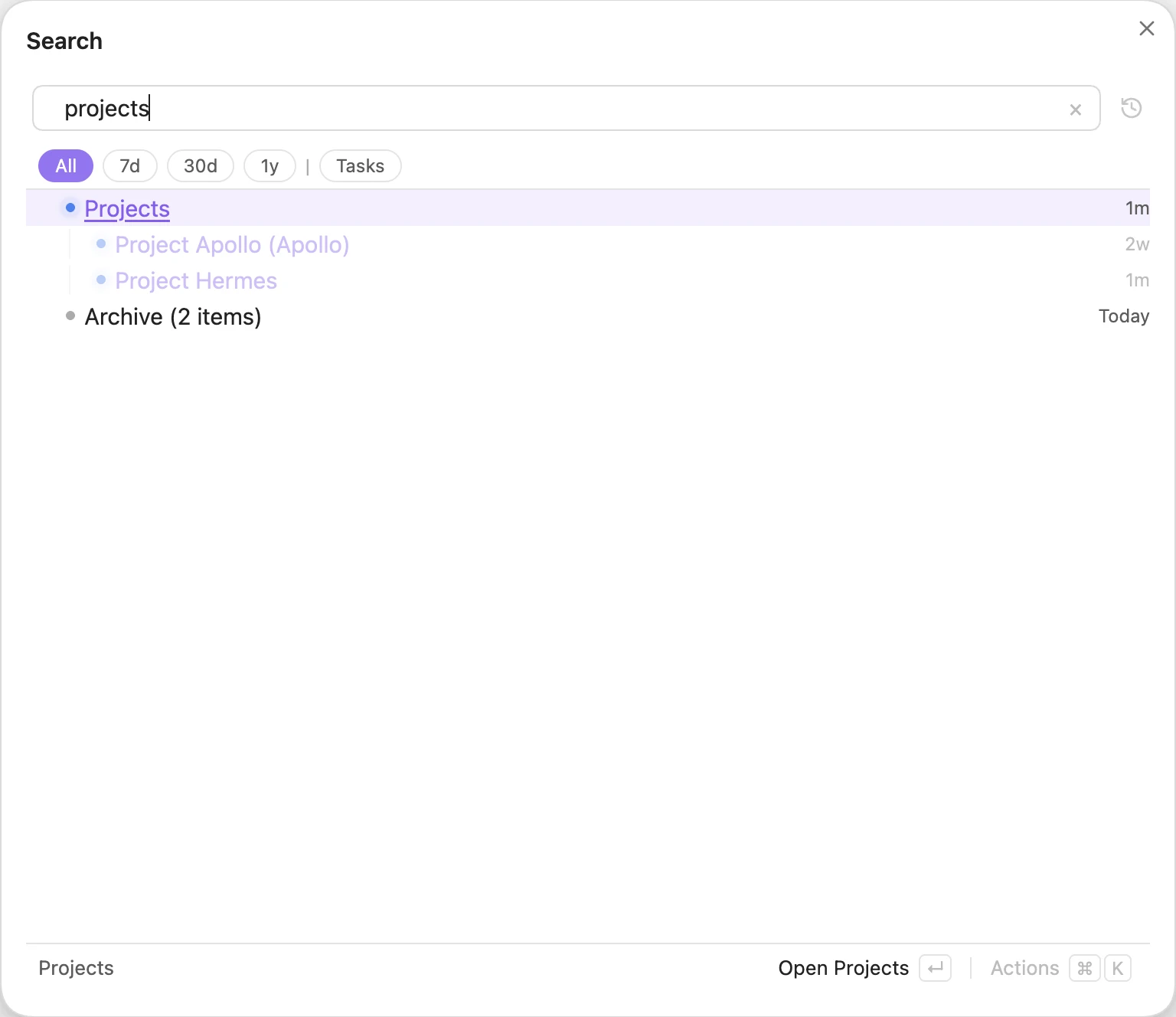 Searching for
projects. Project Apollo comes in through a bullet in Tree Search Examples; Project Hermes through its frontmatter.
What gets indexed
A few rules decide what ends up in the tree:
- Only the leading outline is indexed. Tree Search reads the bullets at the start of a note. The first line that is neither a bullet nor a heading ends the outline; blank lines don’t. Put your bullets first and any prose after them.
- A bullet needs a link, a tag or a URL, unless it is a task. Plain bullets without
[[,#tagorhttpare not indexed on their own. Task lines (- [ ] …,- [x] …) are always indexed. - Nested lines. A line nested under another text line is a subtask (an open task) or subtext (anything else), and the line above it is a list. Find them with
is:subtask,is:subtextandis:list. A bullet that is only a link (- [[Note]]) does not make its children nested. - Aliases are searchable. A note with
aliases: [Apollo]is found when you search forapollo. - Folders, canvases and attachments are indexed too. Search for
is:folderto see folders. - Dates. A line or note gets its date from a
YYYY-MM-DDin the file name or the line itself. If there is none, Tree Search uses the frontmatterupdatedorcreatedfield, then your Daily Notes format.
Archiving
Archive things you no longer need without deleting them. You can archive:
- a line, with the Archive action, which adds
(meta-mdtree:: archive)to the end of the line. Everything nested under it is archived with it; - a whole note, by adding
archiveto its frontmattertags.
The tag is archive by default and can be changed in Settings. A bullet tagged #archive is left out of the index entirely, so it won’t show up even with is:archived.
Archived items are hidden from results. Tree Search collapses them into a single row so you know they are there.
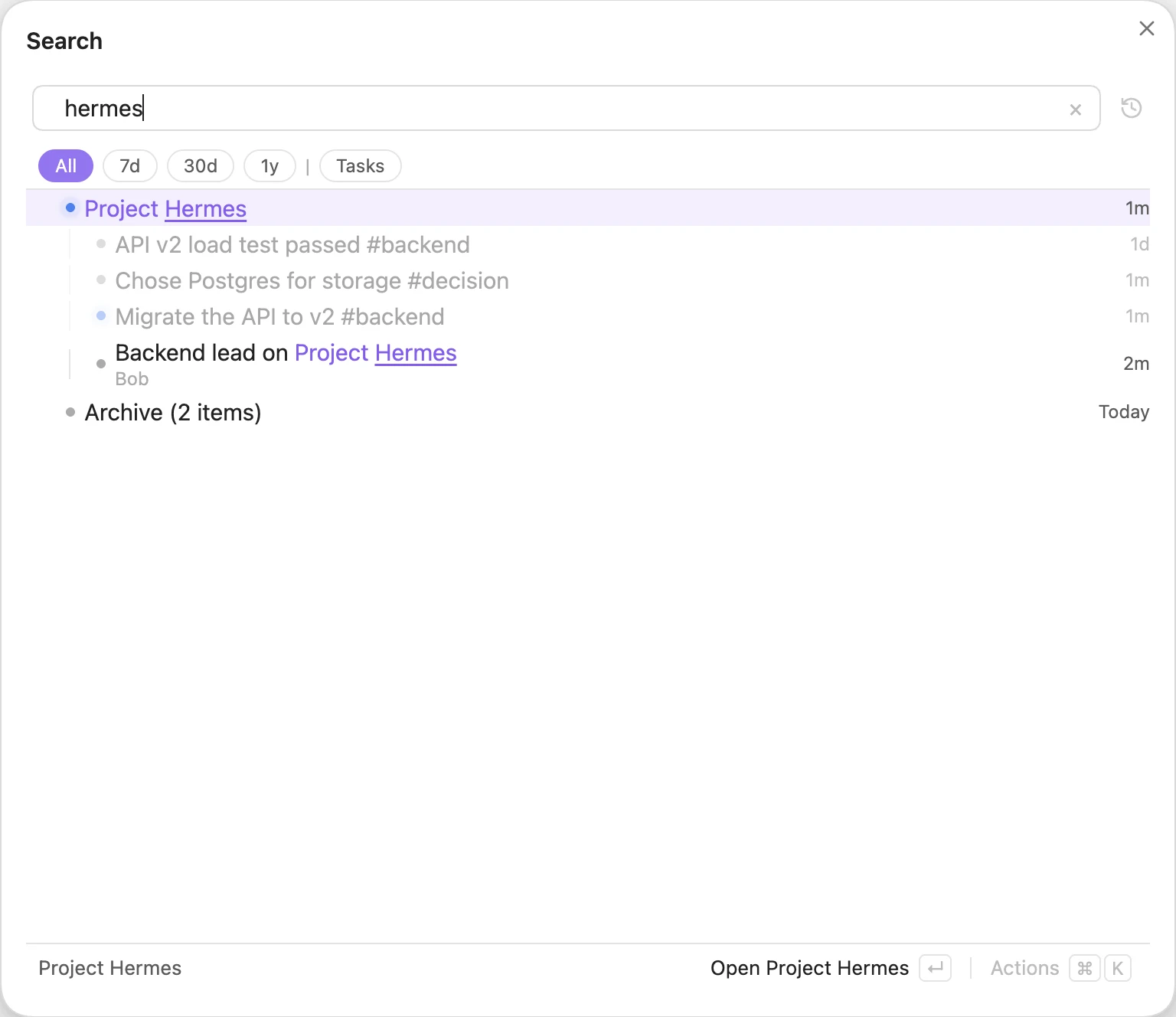 Searching for
hermes: the archived prototype notes are folded into an “Archive (N items)” row.
Add is:archived to your query to bring them back.
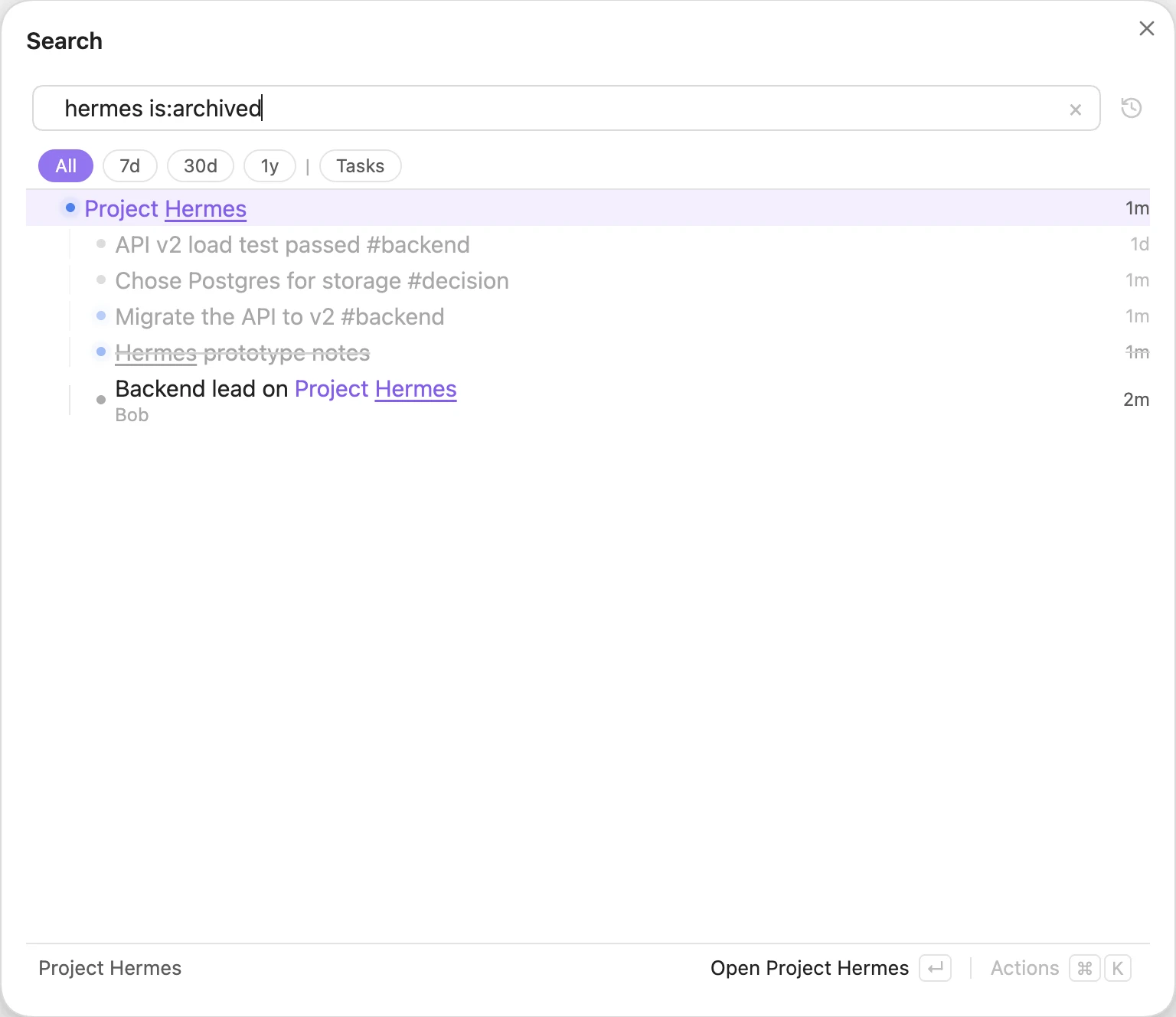
hermes is:archived shows the archived items, greyed out.